
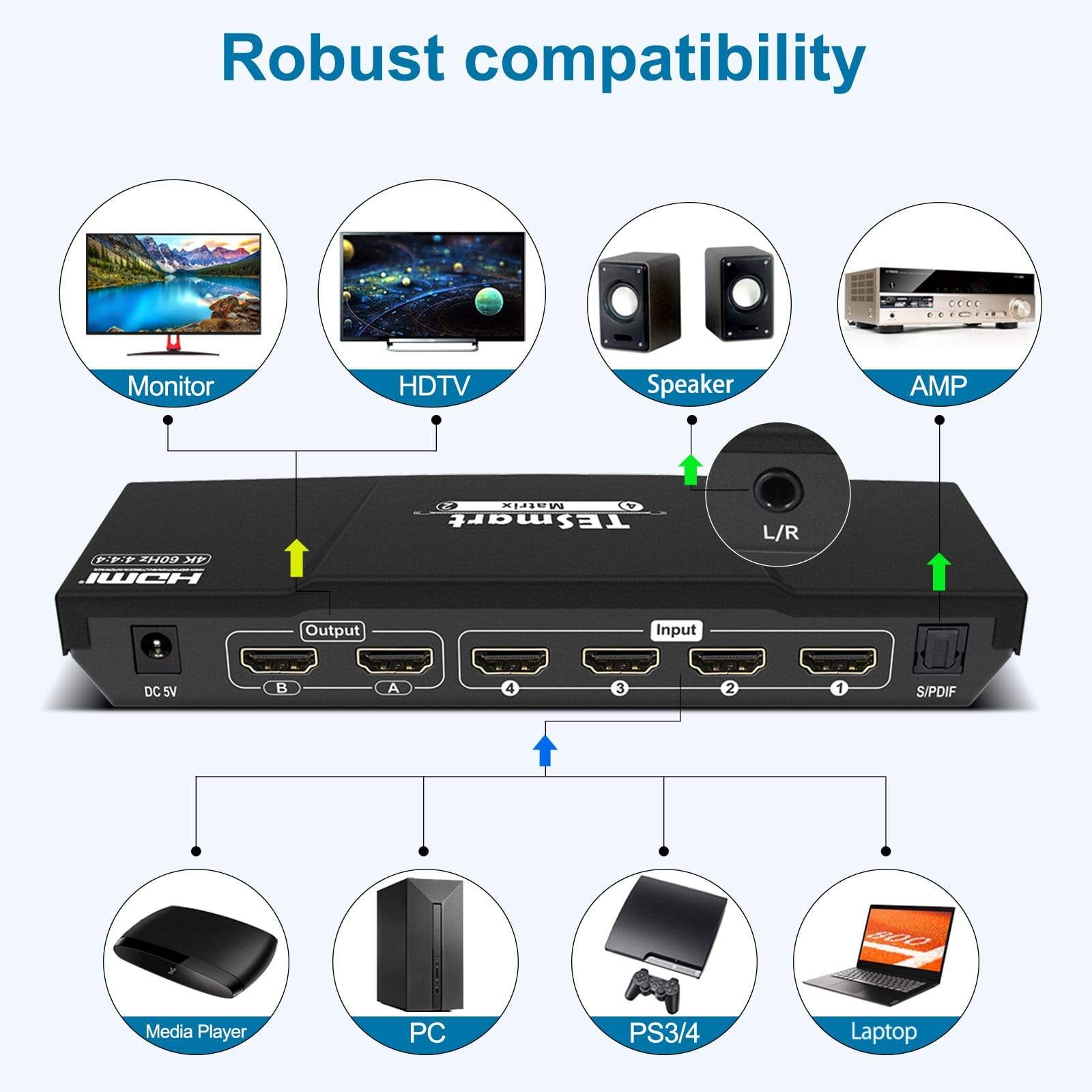
A matrix switch is used to route multiple video sources to multiple displays.
It is the right choice when you need flexible source-to-display routing, rather than simple one-to-one switching or one-to-many duplication. TESmart’s existing matrix guide currently maps desktop use to 4x2 models and rack use to 4x4 / 8x8 / 16x16 models.
Choose a TESmart matrix switch based on:
- How many source devices you need to connect
- How many displays you need to connect
- Whether the setup is for desktop use or rack installation
Quick Guide
1. Desktop Matrix
| Matrix Type | Typical Scenario | Recommended Users | Example Models |
| 4 in 2 out | 4 source devices shared across 2 displays | Desktop workstations Small multi-display setups | HMA0402A1U-UKBK |
2. Rack Matrix:
| Matrix Type | Typical Scenario | Recommended Users | Example Models |
| 4 in 4 out | 4 source devices shared across 4 displays | Control rooms Rack-mounted AV systems Multi-display commercial installations Larger centralized routing environments |
HMA404-L23 HMA404-E23 HMA404-ES23 |
| 8 in 8 out | 8 source devices shared across 8 displays | HMA808-L23 HMA808-E23 HMA808-ES23 | |
| 16 in 16 out | 16 source devices shared across 16 displays | HMA1616-L23 |

3. Matrix vs. Switch vs. Splitter
Matrix Switch: A matrix switch allows multiple input sources to be routed to multiple displays, with flexible output assignment.
HDMI Switch: A switch is typically used to select one source for one / two display. It is best for simpler one-display switching scenarios.
HDMI Splitter: A splitter sends one source signal to multiple displays showing the same content. It is best when you need duplication rather than routing flexibility.
Quick conclusion - Need flexible routing between multiple devices and multiple displays → choose a Matrix Switch - Need one source to multiple identical displays → choose a Splitter - Need simple source switching for one display → choose a Switch
Common Questions
1. If I need seamless switching, which model do you recommend?
A: For seamless switching, we recommend HMA404-ES23 (4x4 version) and HMA808-ES23 (8x8 version).
2. Do your matrix switches support multi-view mode?
A: HMA808-ES23 supports quad-view mode. It includes two display groups: one shows Input 1–4, and the other shows Input 5–8. Its built-in algorithm compresses the image without distortion while maintaining high-definition image quality.
3. Do your matrix switches support independent audio output?
A: Yes, selected models support independent audio output.
- HMA404-E23: Each output port includes one L/R audio output port, which can be connected to speakers or other audio devices.
- HMA404-ES23: Supports audio separation, allowing audio to be played independently according to the corresponding HDMI output port.
- HMA808-ES23: Outputs E–H are equipped with 4 separate audio ports, allowing customizable output audio channels.
4. What should I do if I am not sure which matrix fits my setup?
A: Please provide your equipment list, key requirements, and a brief application summary, then submit a ticket for confirmation.
Comments
0 comments